7-Eleven: Rewards & Shopping
7-Eleven, Inc.Food & Drink
4.9135.66K Reviews
- Version
- 4.2610.0
- Installs
- 10.00M
- Age Rating
- Mature 17+
Screenshots

Our Review of 7-Eleven: Rewards & Shopping
 Analysis by Appyee
I installed 7-Eleven: Rewards & Shopping to see how well it handles a very ordinary situation: I want something quickly, I am already near a 7-Eleven, and I would rather check offers or arrange food before walking through the door. My overall impression is that it works best as a practical companion to a nearby store, not as a general food-ordering app. It brings rewards, shopping, gas-related benefits, and delivery into one place, but the value depends heavily on whether the stores and services around you match what you need.
That distinction matters. If you regularly visit 7-Eleven, the app can make repeat purchases more organized and give you a reason to check before paying. If you only want restaurant discovery, broad grocery comparison, or the widest possible delivery selection, a dedicated alternative may be more useful. I found the app most convincing when I treated it as a shortcut for a familiar chain rather than expecting it to replace every other food and shopping tool on my phone.
From a quick need to a completed order
I find the most useful way to judge this section is by how little effort it takes to turn a passing need into a sensible plan. I would check the location and available options before setting out, then keep the next decision simple: shop in person, collect an order, or choose delivery. That practical rhythm also makes it easier to notice where busy periods can add friction.
Starting with the situation that actually matters
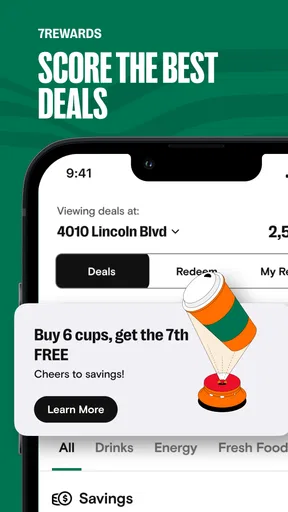
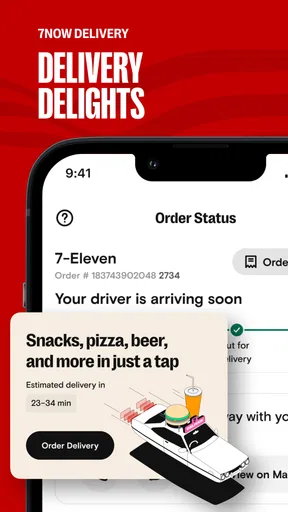
The easiest way to understand the app is to begin with a specific need. Imagine leaving work late and realizing you need a drink, a snack, or a few convenience items. You open the app, look for a nearby store, check what deal or reward is available, and decide whether to pick up the order, shop in person, or request delivery where that option is offered. The useful part is that these choices sit close together instead of forcing you to jump between a loyalty app, a store website, and a separate delivery service.
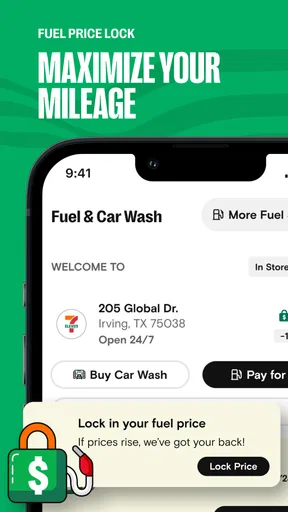
The same flow works for a fuel stop. Rather than opening the app only after arriving at the station, I would check it before pulling in, especially if I am already planning to buy something inside. The gas benefits can influence the timing of the visit, while rewards can make the store purchase feel less like an unplanned extra. That combination is more relevant to drivers than to someone who rarely uses a car.
The app is free, and its Everyone age rating makes it approachable for a broad household. It comes from 7-Eleven, Inc., and its long presence on mobile helps explain why it feels like an established service rather than a temporary promotional tool. The current version is 4.2608.0, with a minimum operating system requirement of 10, so checking device compatibility before relying on it during a trip is sensible.
Setting up the first visit
My advice is to start by choosing the store you genuinely use, not simply the first location that appears. A nearby branch may be convenient, but the best experience comes from matching the app to your actual routine. A store visit, a gas stop, and a delivery order are different use cases, and the relevant offers or availability can change with the selected location.
This is also where expectations should be realistic. The app can connect you with 7-Eleven’s own shopping and reward experience, but it cannot turn every branch into an identical online store. Product availability, delivery coverage, and the usefulness of a promotion depend on the location and the moment. I would use the app to narrow my plan before leaving home, then keep a little flexibility in case the item I want is unavailable.
For a first-time user, the important habit is not simply creating an account and forgetting about it. The better workflow is to open the app before a planned visit, inspect the current rewards and shopping options, and decide whether the digital route saves enough time. That small check prevents a common mistake: assuming that an attractive offer automatically applies to every purchase or every nearby location.
Moving from discovery to checkout
Once the store and purpose are clear, the process becomes a sequence of small decisions. I would first look through the available deal or reward, then compare that with what I actually intended to buy. This sounds obvious, but convenience-store promotions can encourage unnecessary purchases. A reward is only useful when it reduces the cost or improves the value of something I would have bought anyway.
For delivery, the app’s appeal is speed and familiarity. If I am ordering food or drinks from a 7-Eleven nearby, I do not need to learn a new menu from an unfamiliar seller. The trade-off is selection: a restaurant-focused service will usually be better when I want to compare cuisines, build a larger meal, or find specialty items. I would choose this app when convenience and a known store matter more than broad discovery.
For pickup or in-store shopping, the app is more of a planning layer than a complete replacement for browsing shelves. It helps me decide what I want and whether an offer is worth using, but the final handoff still depends on the selected branch. That makes it particularly useful for repeat purchases. If I already know the drink, snack, or basic item I need, the app removes some hesitation. If I am exploring, I may still prefer walking in and choosing directly.
The handoff between phone, store, and driver
The most important part of this app is not the screen itself; it is the handoff it creates. A digital reward has to become a recognized benefit at checkout. A shopping request has to become a prepared order at the correct store. A delivery request has to move from the app to the people handling the order and then to my door. Each transition is a possible point of friction.
I would therefore review the final order details carefully before confirming anything, especially the selected location and the intended fulfillment method. A small location mistake can matter more here than in a pure loyalty app because it may affect inventory, preparation, or delivery. The app is most helpful when I use it as a checklist: correct store, correct items, correct reward, and a clear choice between collecting the order and having it delivered.
Gas benefits introduce another handoff. The app may influence where and when I stop, but the benefit still has to connect with the qualifying purchase or fuel activity. I would not assume that opening the app alone completes the process. The practical approach is to read the offer conditions shown in the app and follow the required steps at the station or store, rather than treating the promotion as an automatic discount.
This is one of the app’s less obvious strengths: it encourages me to plan the entire stop instead of thinking about rewards after paying. When I remember to check beforehand, I can combine a fuel visit with a food purchase and avoid making separate decisions at the counter. The weakness is equally clear: forgetting to activate, select, or present the relevant benefit can erase much of the app’s value.
What the completed experience feels like
When everything lines up, the outcome is pleasantly simple. I have either arrived at the right store knowing what I want, collected an order that was arranged in advance, or received a delivery without needing to search across several services. The reward layer adds a continuing reason to return, while gas benefits make the app more relevant for regular drivers.
The app’s popularity supports that everyday usefulness. It has passed 10 million installs, holds a 4.9 average from roughly 478 thousand ratings, and has about 135 thousand written reviews. Those figures do not guarantee that every location will provide the same experience, but they do suggest that the app has become a routine tool for a substantial number of customers rather than a niche download.
I especially like the way the app can change a casual stop into a planned one. Suppose I am driving home, need a quick dinner component, and also need fuel. I can check the nearby store, see whether a reward or gas benefit fits the trip, and choose between stopping inside and arranging delivery. The outcome is not dramatic, but it can save time and make an otherwise scattered errand easier to manage.
There is also a useful budgeting insight here. Instead of chasing every promotion, I can use the app to create a repeatable rule: check for a relevant reward before a planned visit, ignore offers that would cause an unnecessary purchase, and use delivery only when the convenience justifies the extra cost or effort involved. That turns the app from a stream of deals into a decision tool.
Where the workflow breaks down
The biggest limitation is that the app cannot remove local variation. A promotion may be appealing but irrelevant to the branch I use. Delivery may be convenient in one area and unavailable or less practical in another. A product shown during planning may not be available when the order is prepared. These are not reasons to dismiss the app, but they mean I would avoid depending on it for an urgent item without a backup plan.
There is also a risk of adding steps to a purchase that was already simple. If I am standing at the counter for one inexpensive item, opening the app, finding a reward, and checking whether it applies may take more effort than the saving is worth. The app earns its place when I visit often, buy several things, order delivery, or use the gas-related benefits. For a rare visitor, the setup and attention may not pay back quickly.
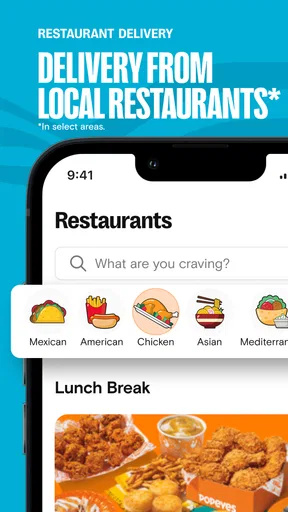
Delivery is another area where expectations need careful handling. The app’s promise of food delivery is attractive for late-night convenience, but a convenience store menu is not the same as a full restaurant marketplace. I would pick it for familiar snacks, drinks, quick food, or household basics. I would choose another service when I need a broad selection, detailed restaurant comparisons, or a meal designed around dietary and cuisine preferences.
The rewards system can also encourage the wrong behavior if I focus on collecting rather than using. A point or offer has no practical value sitting unused, and a discount is not a saving if it leads me to buy something I did not want. My most effective approach is to check rewards immediately before a planned purchase and treat them as a bonus, not as the reason to shop.
Who should install it, and who should skip it
I would recommend the app to regular 7-Eleven customers, drivers who stop at participating locations, and people who often need quick food or convenience items without a long shopping trip. It is also a good fit for anyone who likes checking a deal before paying and can remember to use the selected reward during the visit. The combination of shopping, delivery, rewards, and gas benefits gives frequent customers several ways to justify keeping it installed.
I would be more cautious if you rarely visit 7-Eleven or already have a preferred grocery and delivery setup that covers your needs well. Someone who wants the lowest price across many retailers may get better results from a general comparison or grocery app. Someone who mainly orders prepared meals may prefer a dedicated delivery marketplace. And if your closest branch is inconvenient, the app cannot solve the underlying distance problem.
The age rating and free download make trying it low-risk, but that does not mean it is automatically useful for every person. The real question is frequency. If the app helps with a weekly fuel stop, repeated snack purchases, or occasional delivery, its convenience can accumulate. If I open it only once every few months, I would probably use the store directly and avoid adding another account and notification source to my phone.
My practical routine for getting more from it
My preferred routine is simple. Before leaving for a planned stop, I select the location I expect to use and inspect rewards, shopping, delivery, and gas-related options. I then compare the offers with my actual list. If the reward fits, I make sure I understand how it must be applied. If the store does not have the needed option, I switch to in-person shopping or another service before I am already on the road.
For delivery, I would place the order early enough to handle a substitution or availability problem rather than waiting until the last possible moment. For pickup, I would confirm the store carefully and keep the order details available during the handoff. For fuel, I would read the benefit requirements before starting the transaction. These habits sound minor, but they address the exact points where a loyalty-and-shopping app can disappoint.
I also recommend turning the app into a deliberate tool rather than checking it habitually. The strongest benefit comes from matching a reward to an existing errand. That avoids impulse buying, reduces the chance of overlooking a useful offer, and keeps the experience focused on the outcome: getting the right item, at the right store, with less friction.
My verdict after using the complete workflow
7-Eleven: Rewards & Shopping is a solid choice when 7-Eleven is already part of my routine. Its best quality is the way it connects several practical tasks: checking rewards, planning a store purchase, arranging food or item delivery, and looking for gas benefits. I do not see it as a universal replacement for grocery, restaurant, or delivery apps, but within the 7-Eleven ecosystem it can make ordinary stops more deliberate and occasionally more rewarding.
The app is worth trying if you live or work near a convenient location and are willing to check offers before buying. It is less compelling if you want nationwide consistency, broad retailer comparison, or a full restaurant marketplace. My final recommendation is conditional but positive: install it for repeated 7-Eleven visits, use it before the errand rather than after checkout, and judge it by whether it makes your actual routine easier. That is where its free price and broad feature set become genuinely useful.
Privacy and Permissions
See what permissions an app requests and how it handles your data.
- Location
- approximate location (network-based), precise location (GPS and network-based)
- Phone
- directly call phone numbers
- Photos/Media/Files
- read the contents of your USB storage, modify or delete the contents of your USB storage
- Storage
- read the contents of your USB storage, modify or delete the contents of your USB storage
- Camera
- take pictures and videos
- Wi-Fi connection information
- view Wi-Fi connections
- Other
- view network connections, pair with Bluetooth devices, access Bluetooth settings, full network access, control Near Field Communication, run at startup, control vibration, prevent device from sleeping, modify system settings, Google Play license check
Verdict
Strengths of 7-Eleven: Rewards & Shopping
- Earn points and redeem rewards on eligible purchases.
- Convenient mobile ordering at participating 7-Eleven stores.
- App-exclusive deals can lower the cost of snacks and drinks.
- Store locator helps find nearby locations and available services.
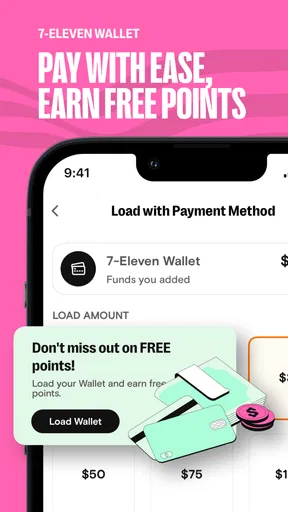
- Supports digital payments and faster checkout at selected stores.
Limitations of 7-Eleven: Rewards & Shopping
- Rewards, prices, and features vary by location and participating store.
- Some promotions require activation before making a purchase.
- Points and coupons may have expiration dates or usage restrictions.
- Mobile orders may be unavailable during busy periods or stock shortages.
- Frequent notifications and promotional messages can feel intrusive.
Other Releases by 7-Eleven, Inc.
View All
Speedway: Rewards & Shopping
Food & Drink4.9

7NOW: Food Delivery & Alcohol
Food & Drink4.2
Similar Picks in This Category
View All
Rappi: Food Delivery, Grocery
Rappi, Inc - Delivery3.5

McDonald’s: Cupons e Delivery
Arcos Dorados4.3

Swiggy: Food Instamart Dineout
Swiggy4.7

Blinkit: Groceries & more
Blinkit4.8

foodpanda: food & groceries
Foodpanda GmbH a subsidiary of Delivery Hero SE4.0

Zomato: Food Delivery & Dining
Zomato4.7
Frequently Asked Questions
What is 7-Eleven: Rewards & Shopping, and what can I do with it?
7-Eleven: Rewards & Shopping is the official mobile app for browsing products, finding nearby stores, placing eligible orders, and managing the 7Rewards loyalty program. Depending on your location, you can earn points on purchases, redeem available rewards, view promotions, order delivery or pickup, and access digital deals. Features and product availability can vary by store and region.
How does the 7Rewards program work in the app?
After creating or signing in to a 7Rewards account, you can connect your purchases to the app and collect points when eligible transactions are made according to the current program rules. Points may be exchanged for rewards shown in the app, but restrictions, expiration policies, qualifying products, and redemption limits can apply. Always review the reward details before purchasing.
Can I order food, drinks, or other products for delivery through the app?
In supported areas, the app lets you browse participating stores and place orders for delivery or pickup. Available items, delivery fees, minimum order requirements, estimated times, and service coverage depend on your address, store inventory, operating hours, and local partners. An item displayed in the catalog may become unavailable before checkout, so confirm the final order summary carefully.
Is the 7-Eleven app free to download and use?
The 7-Eleven: Rewards & Shopping app is generally free to download, and creating a loyalty account does not normally require a subscription fee. However, purchases made through the app still cost money, while delivery charges, service fees, taxes, small-order fees, or price differences may apply depending on the order. Your mobile provider may also charge data fees.
What information and permissions does the app require?
The app may request account details such as your email address or phone number, along with payment and delivery information when you use ordering features. Optional permissions can include location access for finding nearby stores, notifications for promotions or order updates, and camera access for selected functions. You can manage many permissions in your device settings, although disabling them may limit certain features.
